
Introduction
A mobile application can begin as a successful digital product and still become outdated over time. User expectations change, operating systems evolve, competitors introduce better experiences, and older interfaces can gradually become difficult to navigate or maintain.
An application that once felt modern may eventually suffer from confusing navigation, inconsistent layouts, slow interactions, outdated visual design, or legacy functionality that no longer meets current requirements.
At FOUNIA LLC, our Mobile UI/UX & App Modernization service helps businesses transform existing applications into more intuitive, polished, responsive, and maintainable mobile experiences. We combine user experience strategy, interface redesign, navigation improvements, prototyping, performance enhancement, and modernization planning to improve an application’s overall quality.
The goal is not simply to make an application look newer. Effective modernization considers how users interact with the product, how the application performs, how its architecture supports future changes, and how the digital experience can better serve today’s business objectives.
What Is Mobile UI/UX & App Modernization?
Mobile UI/UX modernization involves reviewing and improving an existing application’s user interface and user experience while addressing outdated functionality, technical limitations, performance concerns, or legacy components where appropriate.
UI, or User Interface, focuses on the visual and interactive elements users see and operate.
UX, or User Experience, focuses on how users move through the application, complete tasks, understand information, and interact with its functionality.
App modernization goes beyond visual design. It can involve updating application architecture, improving performance, replacing outdated components, restructuring workflows, introducing new functionality, and preparing the product for future development.
Together, these disciplines can transform an aging application into a more useful and competitive mobile experience.
Why Modernize an Existing Mobile Application?
Replacing an application completely is not always necessary.
An existing product may already contain valuable functionality, customer data, business logic, integrations, and established users. Modernization can provide a practical way to improve the application while preserving useful elements.
Improve User Experience
Users may struggle with complicated navigation, unclear actions, inconsistent interfaces, or unnecessary steps.
UX improvements can make common tasks easier and more intuitive.
Refresh an Outdated Interface
Visual design trends and user expectations change over time. A dated interface can make an otherwise capable application feel less professional.
A modern design system can improve visual consistency and usability.
Improve Performance
Slow screens, inefficient workflows, excessive loading, or outdated components can negatively affect the user experience.
Modernization can identify and address performance-related issues.
Support New Features
An older application may have limitations that make adding new functionality difficult.
Modernization can create a stronger foundation for introducing new features and integrations.
Improve Maintainability
Legacy components and outdated architecture can make future development more complicated.
Updating appropriate parts of an application can make future improvements easier to manage.
Our Mobile UI/UX & Modernization Process
At FOUNIA LLC, we approach modernization as a structured process rather than simply redesigning screens.
1. Application Assessment
We begin by understanding the existing application.
This can include reviewing its interface, navigation, functionality, user flows, performance concerns, technical limitations, and modernization objectives.
The purpose is to identify what works well and what needs improvement.
2. User Experience Analysis
We examine how users interact with the application.
This can help identify:
- Confusing navigation
- Unnecessary steps
- Difficult interactions
- Poor information hierarchy
- Inconsistent workflows
- Usability barriers
- Underused functionality
Understanding these issues helps establish a more focused modernization strategy.
3. UI/UX Strategy
After identifying improvement opportunities, the application can be reorganized around clearer user journeys and more intuitive interactions.
The strategy may include revised navigation, improved information hierarchy, new screen structures, updated interaction patterns, and a modern visual direction.
4. Interface Redesign
Outdated screens can be redesigned using a consistent visual system.
This may involve typography, spacing, layouts, buttons, icons, colors, cards, forms, navigation elements, and other interface components.
The goal is to create a cohesive experience rather than simply changing individual visual elements.
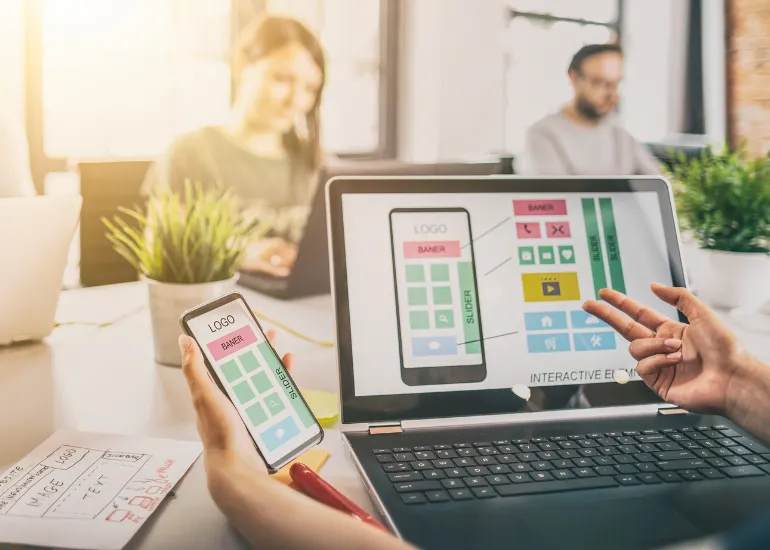
5. Interactive Prototyping
Interactive prototypes can demonstrate how the redesigned application should behave before development begins.
Prototypes can help visualize:
- Screen transitions
- User journeys
- Navigation
- Interactions
- Forms
- Buttons
- Feature flows
This provides an opportunity to refine the experience before implementing major changes.
6. Development and Modernization
Once the new experience is defined, appropriate development changes can be implemented.
Depending on the project, this may include interface improvements, functionality updates, architecture changes, integrations, performance enhancements, or modernization of legacy components.
7. Testing and Refinement
Modernized applications should be tested to identify usability, functionality, compatibility, and performance issues.
Feedback and testing results can then be used to refine the application before final delivery.
Key Features of Our Modernization Service
User Experience Strategy
We analyze user journeys and application workflows to identify areas where interactions can become clearer, faster, and more intuitive.
Modern Interface Design
Outdated screens can be redesigned using contemporary interface principles, responsive layouts, consistent visual systems, and improved information hierarchy.
Navigation Optimization
Navigation can be simplified so users can find important features and information without unnecessary steps.
Interactive Prototyping
Interactive prototypes provide a visual representation of redesigned experiences before implementation, helping stakeholders understand and refine the proposed direction.
Performance Enhancement
Performance-related issues can be reviewed and addressed to create smoother, faster, and more responsive application experiences.
Legacy App Modernization
Older application components can be reviewed and updated where appropriate to improve maintainability, functionality, compatibility, and future development flexibility.
Improving User Experience Through Better Navigation
Navigation is one of the most important parts of a mobile application.
Users should be able to understand where they are, where they can go, and how to reach important features without unnecessary effort.
Poor navigation can result from:
- Too many menu levels
- Unclear labels
- Inconsistent navigation patterns
- Hidden functionality
- Overloaded screens
- Repetitive steps
- Poor information organization
A modernization project can restructure these areas around actual user journeys.
The objective is to reduce friction and make important tasks easier to complete.
Creating a Modern Mobile Interface
A modern interface is not simply about following visual trends.
Good interface design should support usability, readability, consistency, accessibility, and clear interaction.
A redesigned interface may improve:
- Typography
- Color usage
- Spacing
- Buttons
- Forms
- Icons
- Cards
- Navigation
- Content hierarchy
- Screen layouts
- Interactive states
The visual system should also remain consistent across the application so that users can learn patterns and interact more confidently.
Mobile UX and User Journeys
A user journey describes the steps a person takes to accomplish a goal inside an application.
For example, a booking application might require a user to:
- Open the application.
- Search for a service.
- Select an available option.
- Choose a date.
- Enter required information.
- Confirm the booking.
- Receive confirmation.
If this process contains unnecessary steps or unclear decisions, users may become frustrated.
UX modernization looks at these journeys and considers how they can be simplified without removing important functionality.
Interactive Prototyping Before Development
Making major changes directly inside an application can be expensive and time-consuming.
Prototyping provides a way to explore the proposed experience before implementing every change.
An interactive prototype can demonstrate how users move between screens and interact with important features.
This can help stakeholders identify issues early and make decisions before development resources are committed to the final implementation.
Modernizing Legacy Applications
Many businesses depend on applications that have been developed over several years.
These applications may contain valuable functionality but rely on outdated technologies, inconsistent interfaces, older architecture, or difficult-to-maintain components.
Modernization does not necessarily mean rebuilding everything from scratch.
A practical strategy can identify which parts should be:
- Retained
- Redesigned
- Refactored
- Replaced
- Integrated
- Removed
- Rebuilt
This targeted approach can help preserve valuable functionality while improving areas that require attention.
Improving Application Performance
Performance issues can emerge as applications become more complex.
Potential problems can include slow screen loading, inefficient data handling, unnecessary processing, oversized assets, network-related delays, or outdated components.
Performance enhancement can involve reviewing application behavior and identifying areas that create unnecessary delays.
The specific optimization strategy depends on the application’s architecture and technical implementation.
Modernization for Different Types of Applications
Our service can be useful for many application categories.
E-Commerce Applications
Modernize product browsing, search, checkout, customer accounts, navigation, and purchasing workflows.
Booking Applications
Simplify service discovery, availability selection, scheduling, confirmation, and account management.
Business Applications
Improve internal workflows, dashboards, reporting, data entry, communication, and productivity tools.
Education Applications
Refresh course navigation, content presentation, progress tracking, account functionality, and learning interactions.
On-Demand Applications
Improve customer journeys, provider interactions, location functionality, booking processes, notifications, and service workflows.
Community and Social Applications
Modernize profiles, feeds, messaging, navigation, content discovery, and engagement features.
When Should You Modernize Your App?
An application may benefit from modernization if you notice:
- Users struggling with navigation
- Declining engagement
- Outdated visual design
- Slow or unresponsive interactions
- Inconsistent interfaces
- Difficult maintenance
- Legacy technology limitations
- Increasing development costs
- Poor compatibility with newer environments
- Difficulty introducing new features
Modernization can be particularly useful when the application still provides valuable business functionality but its current experience or technical foundation no longer meets expectations.
Complete Redesign vs. Targeted Modernization
Not every application needs a complete redesign.
A targeted modernization may be more appropriate when the existing product has valuable functionality that should be preserved.
For example, a business might keep its existing backend and core business logic while redesigning the mobile interface and improving navigation.
Another project may require deeper architectural changes because the existing technical foundation prevents meaningful improvement.
The appropriate approach depends on the application’s current condition, objectives, budget, technical architecture, and future roadmap.
One-Time Modernization Packages
FOUNIA LLC provides Mobile UI/UX & App Modernization packages using a one-time project payment model rather than recurring subscriptions.
Project requirements can vary significantly depending on the existing application’s condition and modernization objectives.
Factors may include:
- Number of screens
- Number of redesigned screens
- UI/UX complexity
- Existing application architecture
- Required feature updates
- Performance requirements
- Prototype requirements
- Legacy functionality
- Integrations
- Testing requirements
- Modernization depth
This approach allows the project scope to determine the development requirements rather than placing clients into an ongoing subscription commitment.
Why Choose FOUNIA LLC?
Modernization requires both design thinking and technical understanding.
A redesign that ignores the application’s underlying functionality may create additional problems. Similarly, technical improvements that ignore user experience may fail to solve the problems users actually experience.
FOUNIA LLC brings these considerations together through a practical modernization approach.
Our focus includes:
- User-focused UX strategy
- Modern mobile UI design
- Navigation optimization
- Interactive prototyping
- Performance enhancement
- Legacy application modernization
- Feature improvement
- Scalable development practices
- Testing and refinement
- Clear project communication
We aim to preserve what works, improve what does not, and create a stronger foundation for the application’s next stage.
Preparing Your Existing App for Modernization
Before beginning a modernization project, it can be useful to gather information about the current application.
Consider documenting:
Current problems: What issues are users experiencing?
Important features: Which functions must remain?
User feedback: What are customers or employees requesting?
Performance concerns: Which screens or processes feel slow?
Business objectives: What should the modernized application accomplish?
Future requirements: What features may be needed later?
This information can help establish a focused modernization roadmap.
The Business Value of Better Mobile Experiences
An improved application experience can influence how customers perceive your business.
When users can navigate efficiently, understand information clearly, and complete tasks without unnecessary friction, the application becomes more useful.
Modernization can also help businesses make better use of existing digital investments.
Instead of abandoning an application that still contains valuable functionality, targeted improvements can potentially extend its useful life while preparing it for future development.
From Outdated Application to Modern Experience
Modernizing a mobile application is an opportunity to rethink how the product serves users.
At FOUNIA LLC, we combine UI/UX strategy, interface design, user-flow improvements, performance considerations, and technical modernization to help businesses improve existing mobile products.
The process can begin with a detailed review of the existing application and progress toward a clearer, more intuitive, and more modern experience.
Conclusion
A mobile application does not have to remain stuck in the design and technology standards of the past.
As user expectations, devices, operating systems, and business requirements evolve, applications may need thoughtful updates to remain useful and competitive.
FOUNIA LLC’s Mobile UI/UX & App Modernization service helps businesses improve existing applications through user-focused design, better navigation, modern interfaces, interactive prototyping, performance enhancements, and appropriate legacy modernization.
Whether your application needs a visual refresh, a complete UX transformation, improved performance, new functionality, or deeper technical modernization, we can help identify a practical path forward.
Our goal is to create mobile experiences that are easier to use, more reliable, visually modern, and better prepared for future growth.
Ready to transform your existing mobile application? Contact FOUNIA LLC at info@founia.com to discuss your application, modernization goals, and suitable one-time project package.